Count down
What’s coming.
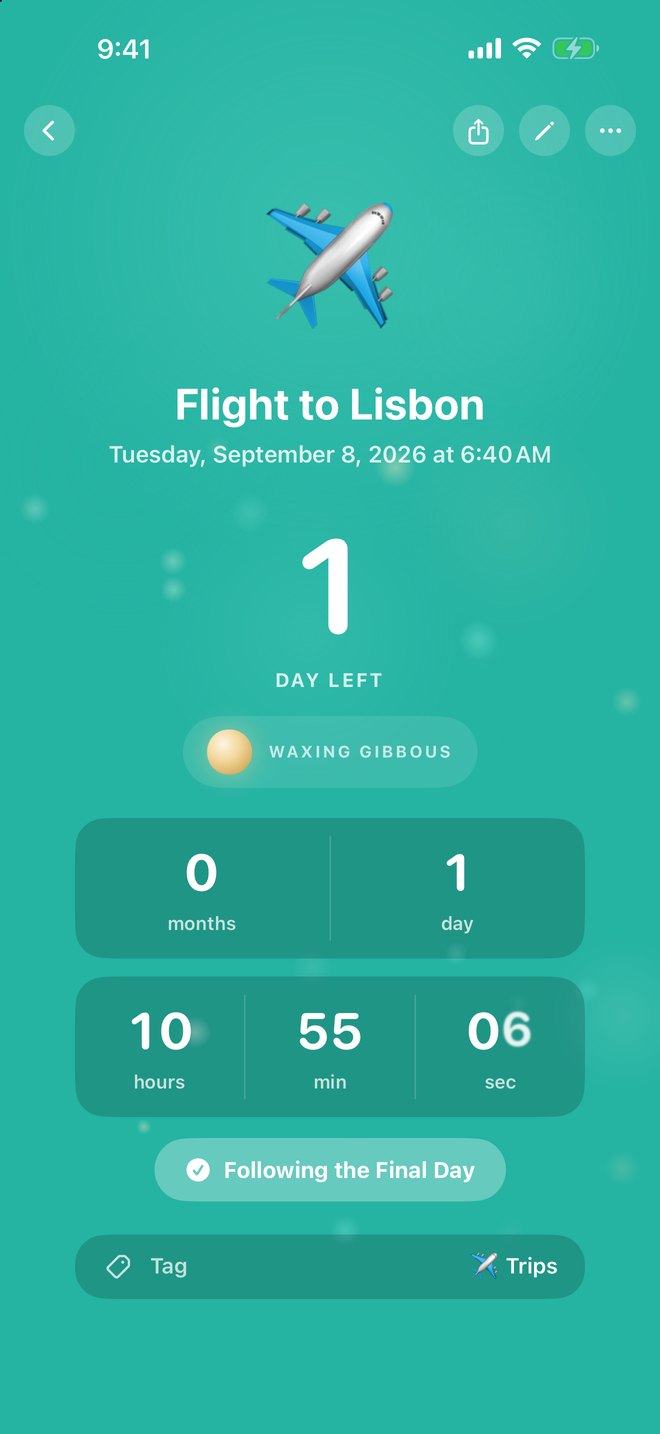
A trip. A due date. A first day of school. The moon fills as the day nears, and the last day counts to the second.
Luna Days New
Calendars bury the days that matter. Luna keeps them close.

iPhone · iPad · Apple Watch · iOS 17 and watchOS 10 or later

Watch it come closer
Every countdown carries its own moon. Far away, it is new. On the day, it is full.
Our Anniversary
Monday, September 7
29days left
Waxing crescent
Two directions
Counting upthe days you’ve kept
Counting downthe days you’re waiting for
Count down
A trip. A due date. A first day of school. The moon fills as the day nears, and the last day counts to the second.
Count up
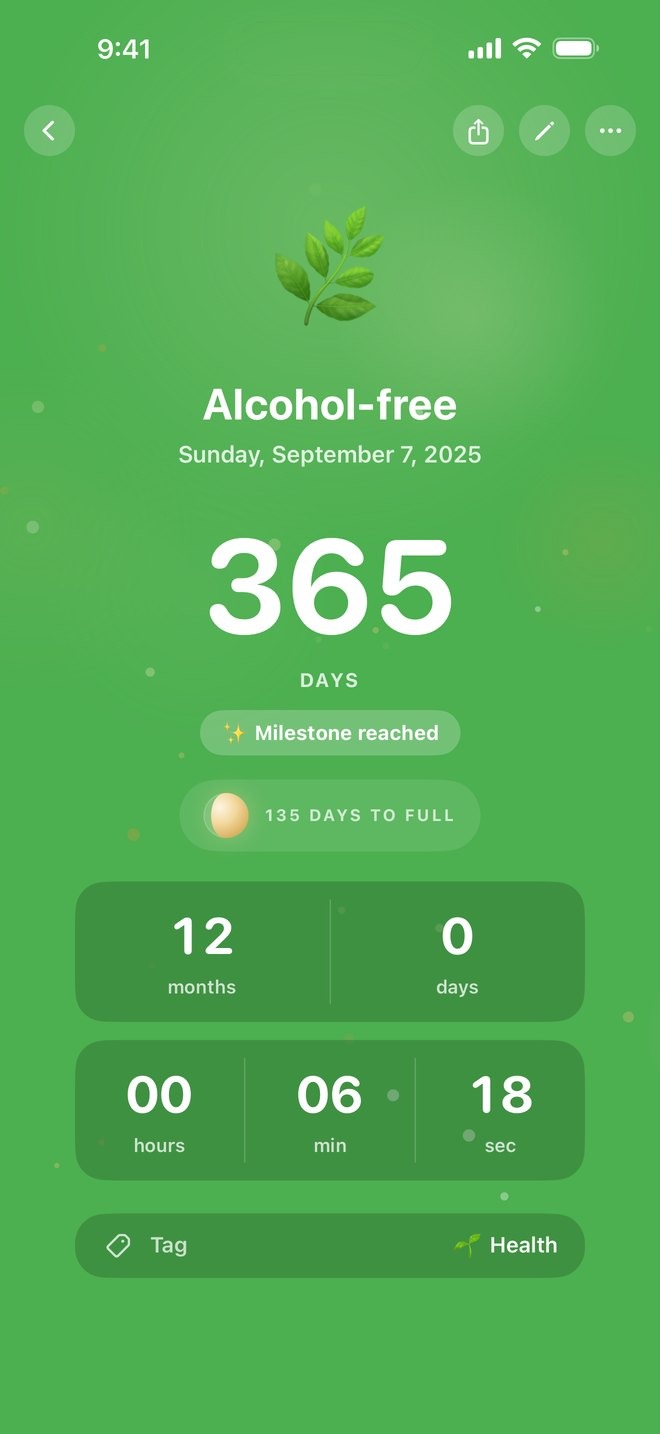
A streak. A new job. Day one of anything. Luna marks nine milestones, from day 30 to day 1,000.
A closer look
The days that matter, the math you shouldn’t have to do, and the screens you already check.
A date 68 days out stops being a line in a calendar. On the final day it counts to the second.

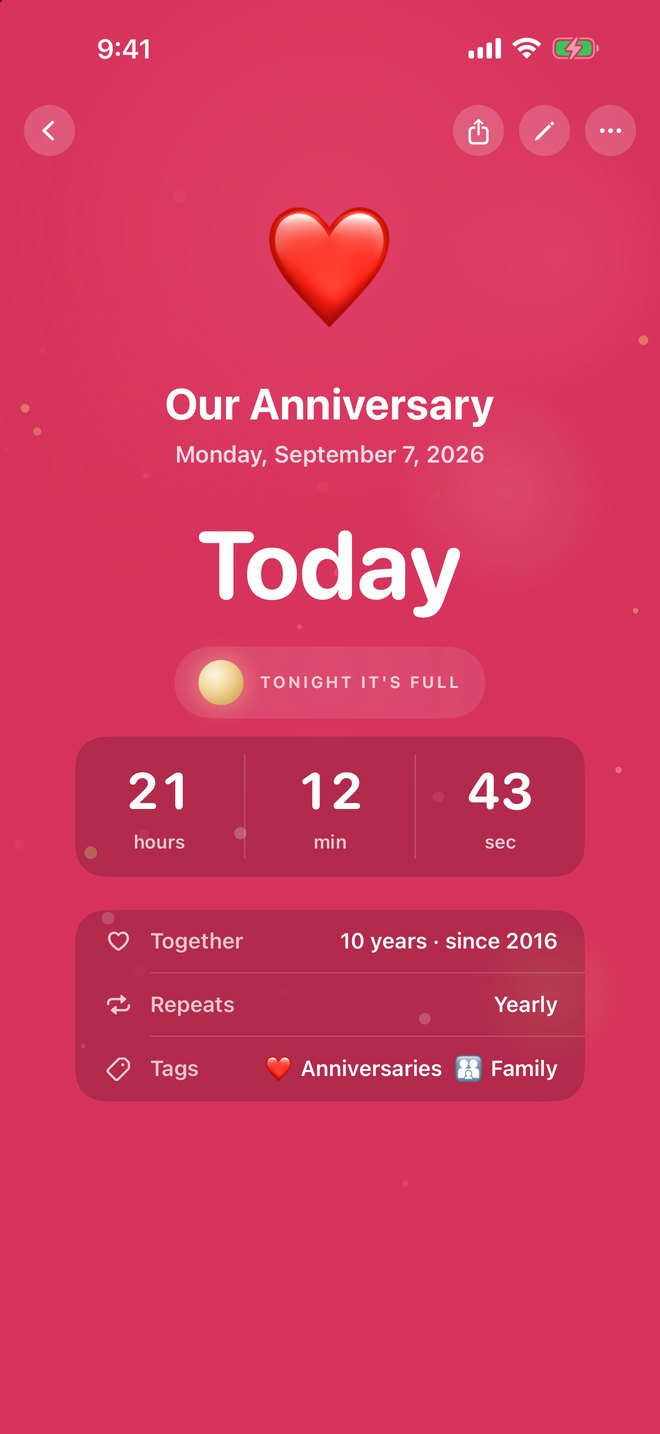
Today. Ten years. Tonight the moon is full.
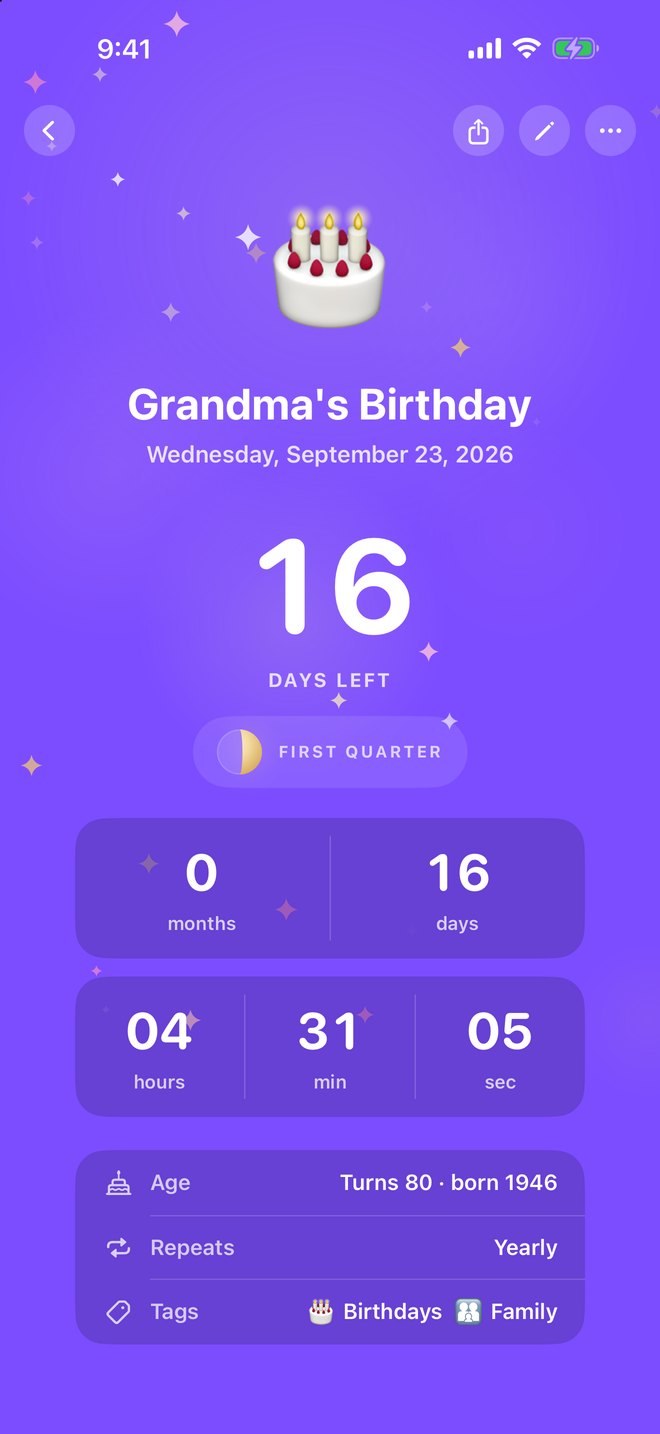
Turns 80. Type an age — no birth year required.
Nine milestones, from day 30 to day 1,000. This one is a full year.

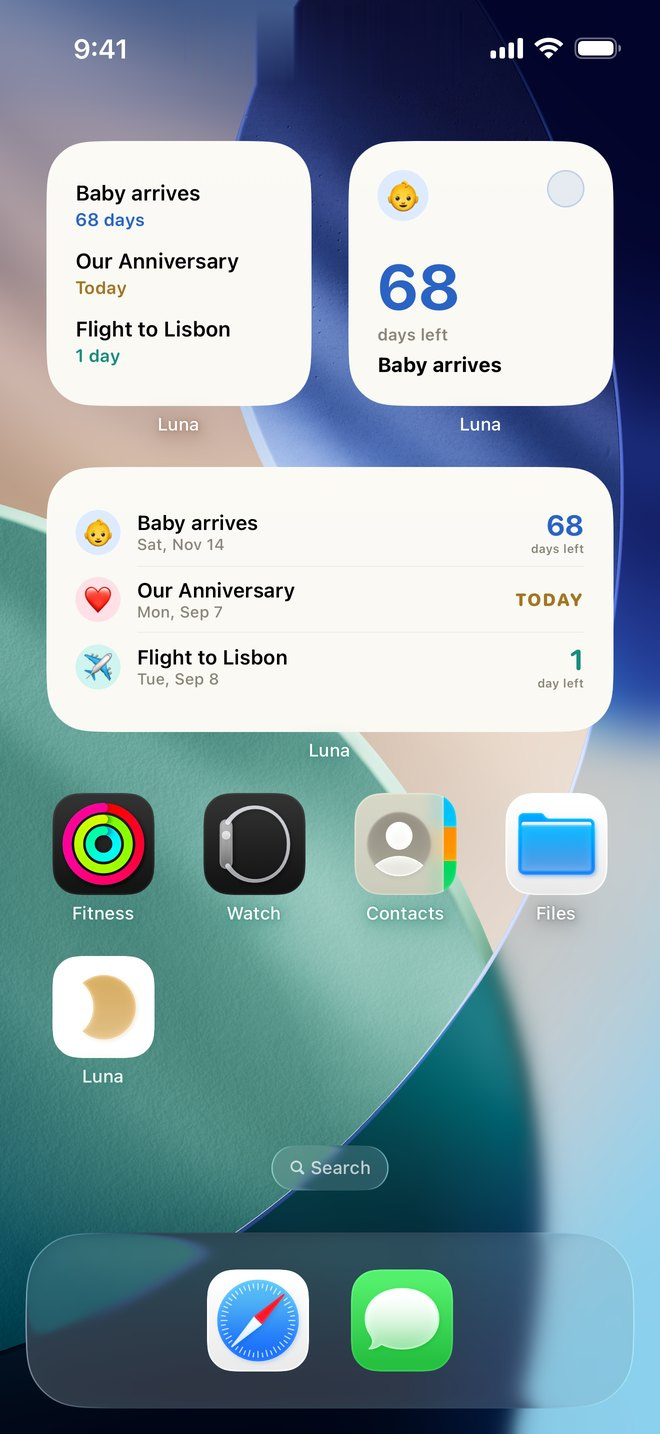
Lock Screen, Dynamic Island, Home Screen, Apple Watch. Your next day is already on the screen.
Type a title and Luna proposes an emoji and a color. One tap to accept.

Your list
What’s today sits on top. What you’ve pinned stays close. Everything else lines up by how soon it arrives — and the days you’re counting up keep their own place.
Try it. Tap a tag.
MONDAY
September 7
Get started
Type what you’re waiting for. Luna dresses it as you go — the emoji and the color the app itself would choose.
Live preview
Try , , , or .
On every screen
Pin one countdown, follow a tag, or let whatever’s next show itself. The Lock Screen ring fills in real time, and the final day counts to the second.
Mon 7 👶 68d · Baby arrives
9:41
A moon ring that fills under the clock. In the final 24 hours, the day itself counts down to the second.
Pin one day you love, follow a tag like Birthdays — with who’s turning what — or let whatever’s next show itself.
The last stretch, always in view, even while you use other apps.
Its own list and detail, plus complications for every face.
The details
Eleven colors, every emoji there is, and a count that reads the way you think. Go on — change it.
Baby arrives
Saturday, November 14
68days left
More than a moon away
Color
Emoji
Show as
Every day, counted. The way most people start.
Year view
Quiet stretches and crowded seasons, visible before they arrive.
Private by design
No account to make. Nothing to opt out of. There are no servers of ours and no analytics, so nothing about you is ever sent to us.
That’s the App Store privacy label, in full. No ads, no analytics, no tracking, no telemetry.
Your devices stay in step through your own iCloud account. Luna’s developer cannot read what’s in it.
Emoji and color suggestions run on your iPhone. Contacts are read to find birthdays, never modified. Zero third-party code.
Luna Days
FAQ
Tap plus. Give it a title and a date, then choose whether it counts down to that day or up from it. Luna suggests an emoji and a color as you type — take them or pick your own.
A countdown is the days until something: a trip, a due date, a launch. A count-up is the days since something started: a sobriety date, a streak, a new job. Count-ups mark 30, 60, 90, 100, 180, 250, 365, 500, and 1,000 days.
Yes. Enter an age — “79” — and the birthday reads “Turns 80.” Blank is fine when you don’t know the year.
Touch and hold your Home Screen, tap plus, and search for Luna. On the Lock Screen, touch and hold, tap Customize, then add a widget above or below the clock. Every widget can pin one countdown, follow tags, or show whatever’s next.
Yes. Long-press the widget, tap Edit Widget, and point it at the Birthdays tag — or any tag you keep. The rest of the list stays out of that rectangle.
Settings → Compact tag chips. The filter bar becomes a row of emoji, same order, less width. Turn it off and the names come back.
The App Store label is “Data Not Collected,” and that is literal: no account, no ads, no analytics, no servers of ours. Sync is through your own private iCloud. Luna’s developer cannot read it.
iPhone and iPad running iOS 17 or later, and Apple Watch running watchOS 10 or later. There is no Mac, web, or Android version.

Available now

Works on iPhone and iPad with iOS 17 or later, and Apple Watch with watchOS 10 or later.